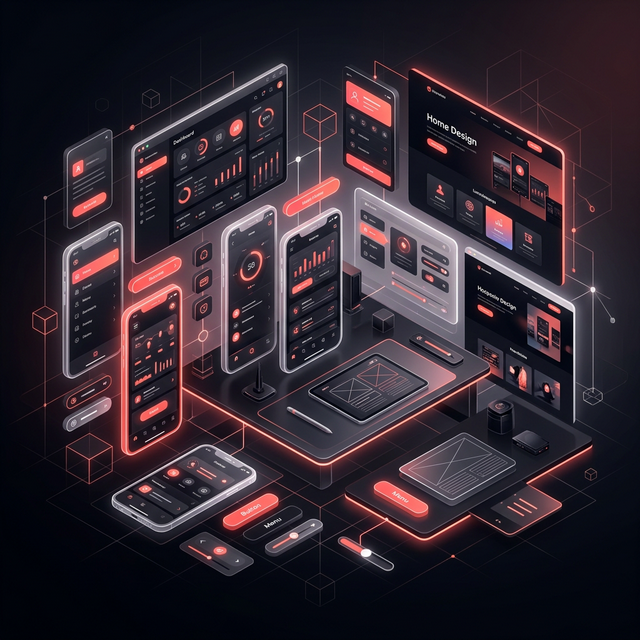
What Is Stitch & Why It Matters
Why Stitch? Stitch combines visual design, responsive logic, and AI-assisted layout generation into a single workflow — eliminating the gap between "what the designer envisions" and "what gets built."
What Makes Stitch Stand Out
-
AI-Powered Layout GenerationDescribe your vision in natural language, and Stitch generates intelligent, responsive layouts instantly. It understands design principles like hierarchy, spacing, and visual balance — so you get production-quality results, not random assemblies.
-
Responsive-First CanvasEvery element you place on Stitch's canvas is inherently responsive. No need for separate mobile and desktop frames — design once, and the system adapts fluidly across breakpoints using smart constraints and flex logic.
-
Design-to-Code PipelineStitch exports clean, semantic HTML and CSS — not the bloated output of typical generators. Developers receive structured, maintainable code that respects best practices, making handoffs nearly frictionless.
-
Intelligent Design TokensStitch doesn't just store colors and fonts — it understands the relationships between them. Change a primary color, and the entire system recalculates contrast ratios, hover states, and accessibility compliance automatically.
Building Mobile Apps with Stitch
| Step | Phase | What Happens in Stitch |
|---|---|---|
| 01 | Ideation | Use AI prompts to generate initial wireframes. Describe the app concept, target platform, and key screens — Stitch produces a functional skeleton in seconds. |
| 02 | Component Design | Build reusable components (buttons, cards, nav bars) using Stitch's component system. Each component inherits design tokens and responds to theme changes automatically. |
| 03 | Screen Assembly | Drag components onto frames, connect navigation flows, and define transitions. Stitch auto-generates smooth animations between linked screens. |
| 04 | Prototyping | Preview the app in Stitch's built-in simulator — test gestures, scrolling, and micro-interactions in real-time on any device frame. |
| 05 | Handoff | Export design specs, assets, and clean code. Stitch generates a shareable link with inspect mode for developers — no plugins required. |
Pro Tip: Use Stitch's "Mirror Mode" to preview your app design on a real device in real-time as you work. This eliminates guesswork about touch targets, font legibility, and gesture zones.
Crafting Websites with Stitch
Layout Design
- True CSS Grid and Flexbox visual controls
- Breakpoint system with live responsive preview
- AI suggests optimal layout configurations
- Container queries support out of the box
Interaction & Motion
- Scroll-triggered animations (parallax, reveals)
- Hover states designed visually, not via code
- Page transition choreography built-in
- Lottie and GSAP integration for complex motion
The most powerful aspect of Stitch for web design is its Section Library. Instead of rebuilding common patterns (hero sections, pricing tables, footers), Stitch provides a curated library of production-ready sections that you can customize to match your brand. Each section is fully responsive and accessibility-compliant from the start.
Stitch vs. Traditional Design Tools
| Capability | Traditional Tools | Stitch |
|---|---|---|
| Responsiveness | Manual — separate frames for each breakpoint | Automatic — design once, adapts everywhere |
| Code Export | Messy, often requires rewriting | Clean, semantic HTML/CSS ready for production |
| Prototyping | Basic click-through with limited interactions | Full gesture, scroll, and animation support |
| AI Assistance | Plugins/add-ons, inconsistent quality | Native AI deeply integrated into workflow |
| Design Tokens | Manual variables, no intelligence | Smart tokens with auto-contrast and theming |
Important Note: Stitch isn't meant to replace tools like Figma entirely — it excels in production-focused workflows. For early-stage exploration, whiteboarding, and FigJam-style brainstorming, traditional tools still hold value.
Getting the Most Out of Stitch
-
Start with Design Tokens, Not ScreensBefore touching a single frame, define your color palette, typography scale, spacing system, and border radii in Stitch's token panel. This ensures consistency across every element you design and dramatically speeds up the process.
-
Build Atomic Components FirstDesign your smallest components (icons, buttons, inputs) before composing larger patterns. Stitch's component nesting is extremely powerful when you build bottom-up — changes propagate instantly across your entire project.
-
Design Mobile-First, Even for WebStitch's responsive engine works best when you start from the smallest breakpoint and scale up. This forces content prioritization and produces cleaner layouts than desktop-down approaches.
-
Leverage AI for Iteration, Not CreationUse Stitch's AI to generate variations of your existing designs — not to create from scratch. The best results come from giving AI a strong starting point and asking it to explore alternatives in layout, color, or spacing.
A Real Project Built with Stitch
Mobile App
- 12 screens designed in 4 hours
- Full interactive prototype with gestures
- Dark/light theme switching via tokens
- Exported to React Native specs
Web Dashboard
- 8 pages with complex data visualizations
- Responsive across 4 breakpoints
- Scroll animations and chart interactions
- Clean HTML/CSS exported for Next.js
Result: Using Stitch, the entire design phase (app + web) took 3 days instead of the estimated 2 weeks. The developer handoff was seamless — the exported code required less than 10% modification for production.
My Take: Stitch Changes the Game
Stitch represents a fundamental shift in how we approach digital design. It's not just faster — it's smarter. By embedding responsiveness, accessibility, and code quality directly into the design process, it eliminates entire categories of handoff friction that have plagued designer-developer collaboration for years.
- For App Designers: Stitch's component system and device simulation make it the fastest path from concept to testable prototype.
- For Web Designers: The responsive-first approach and clean code export mean you can ship designs that actually work — not just look good in a presentation.
- For Teams: Shared design tokens and AI-assisted consistency checks keep everyone aligned, even across large-scale projects.
If you haven't tried Stitch yet, now is the time. The design landscape is evolving, and tools like Stitch are leading the charge toward a future where design and engineering are one seamless discipline.